 Fintrek
Know how much money you really have — in every currency
- Voice or text — saved in 3 secondsSay “coffee 4 dollars” — the bot shows a card, you confirm.
- On your phone and computerview and edit entries
- Excel spreadsheet with charts — any timeOne file for the year: month, pie chart, budget. Export is free.
30 days freeno cardno bank connection
What the expense tracker app really looks like
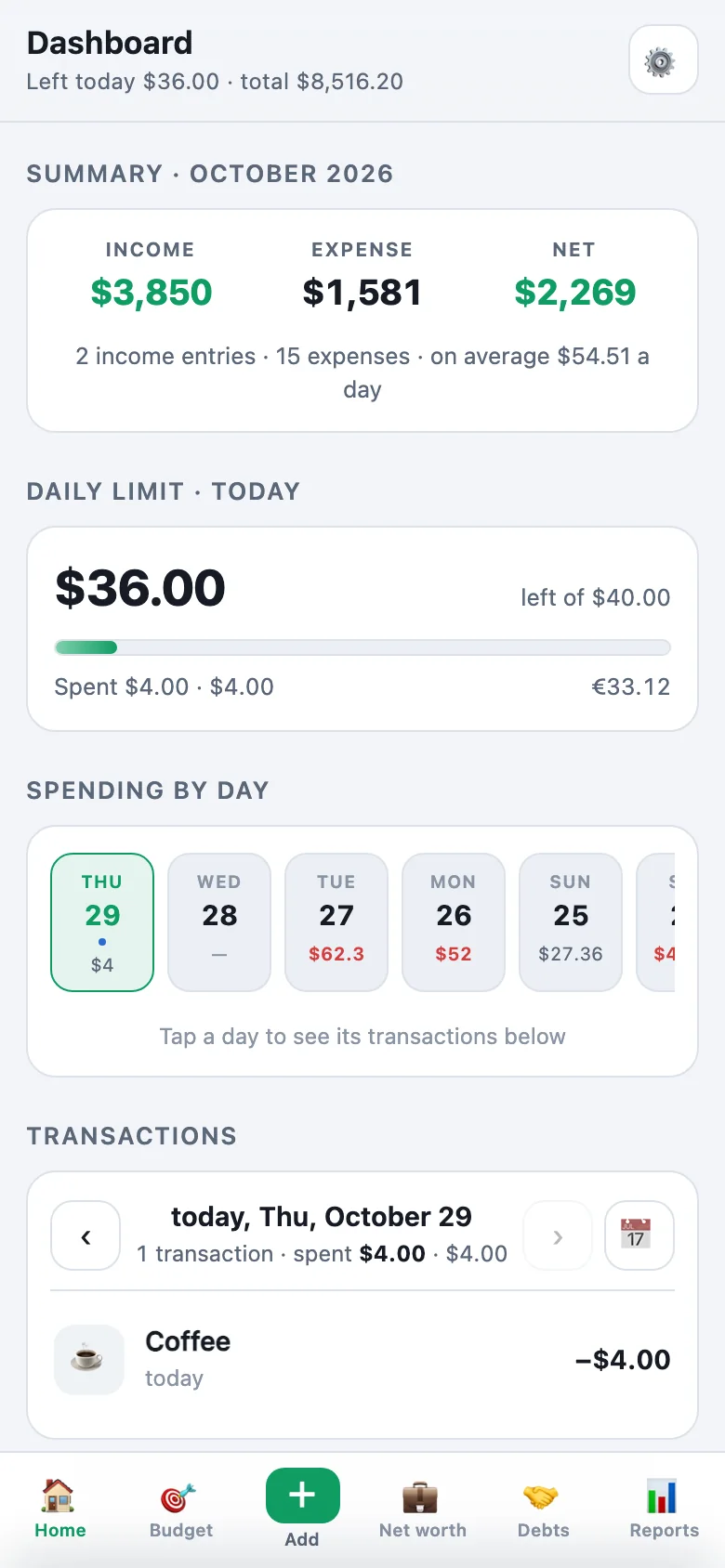
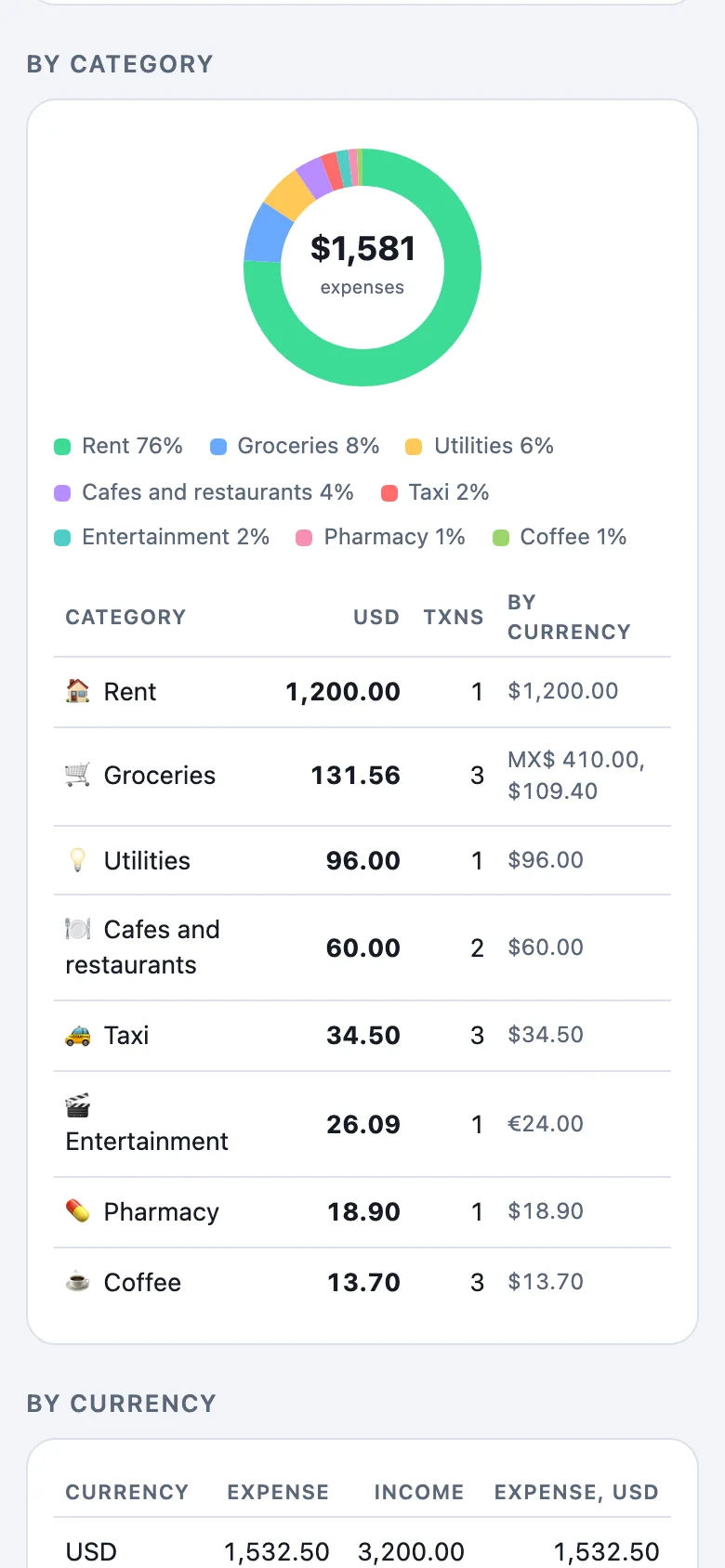
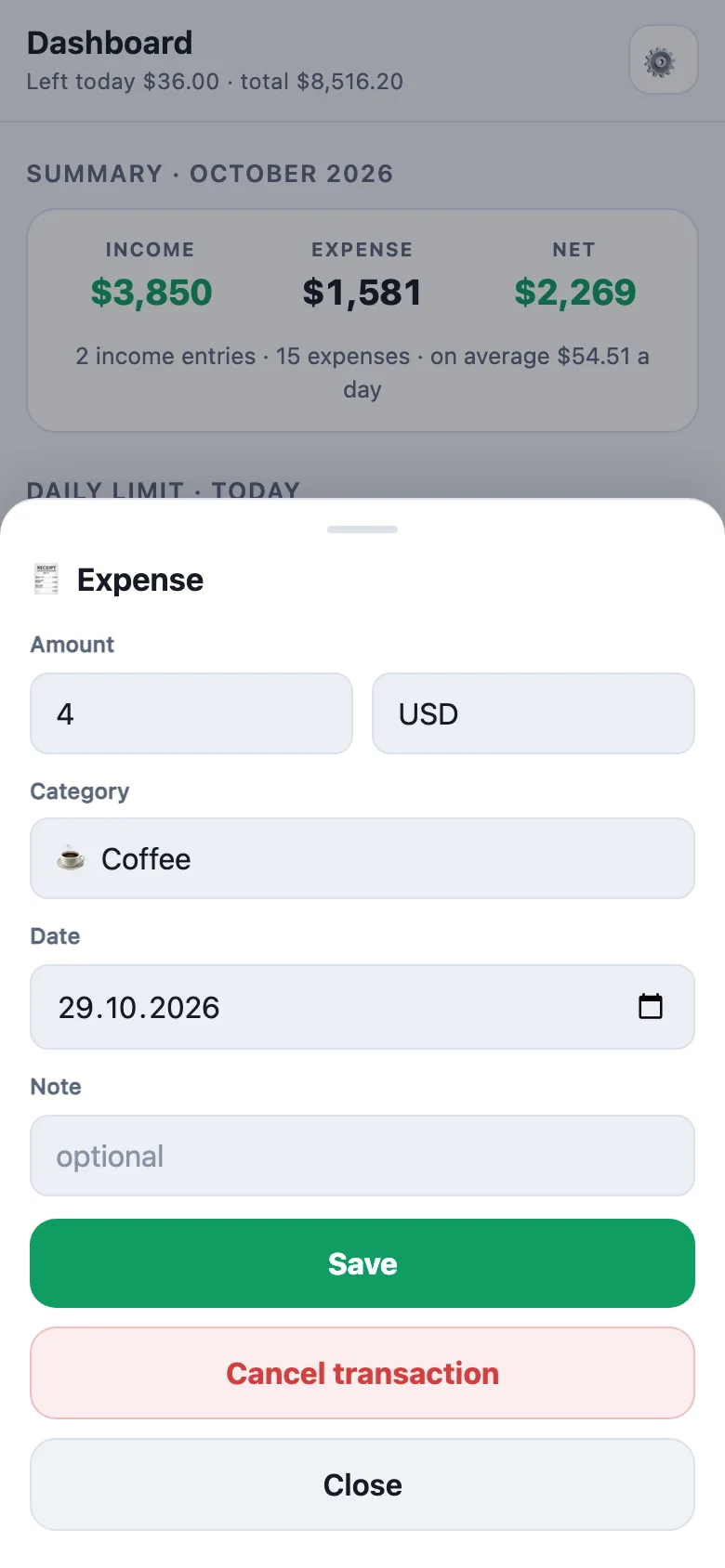
Expense tracking by voice in Telegram — real screens with sample data.
Sound familiar?
Money disappears by the end of the month
Salary comes in, bills get paid — and nobody can say where the rest went.
Every expense lands in a category; the dashboard shows your month.
Your bank app sees only one bank
Cash, a second account or another bank’s card stay invisible — and auto-categories often miss.
You record everything yourself in seconds — any account, cash too, no bank connection.
Several currencies — no single total
Dollars on a card, euros in cash, some USDT — no app adds it up at the rate you actually got.
Any currency at your own rate; one total in your main currency.
Show one more
I start a spreadsheet and give up in week two
Typing every coffee gets old. One busy week, and the file is behind.
Say it in Telegram — the bot fills in the spreadsheet for you.
How to track expenses by voice
Say it
A voice message or a short line to the bot in Telegram. Several at once is fine.
It’s recorded
The bot shows a card — amount, currency, category, date. One tap: “Yes, save”. Nothing is saved without your yes.
See it in the dashboard or in Excel
Open the dashboard on your phone or computer — or get your spreadsheet filled in, any time, free.
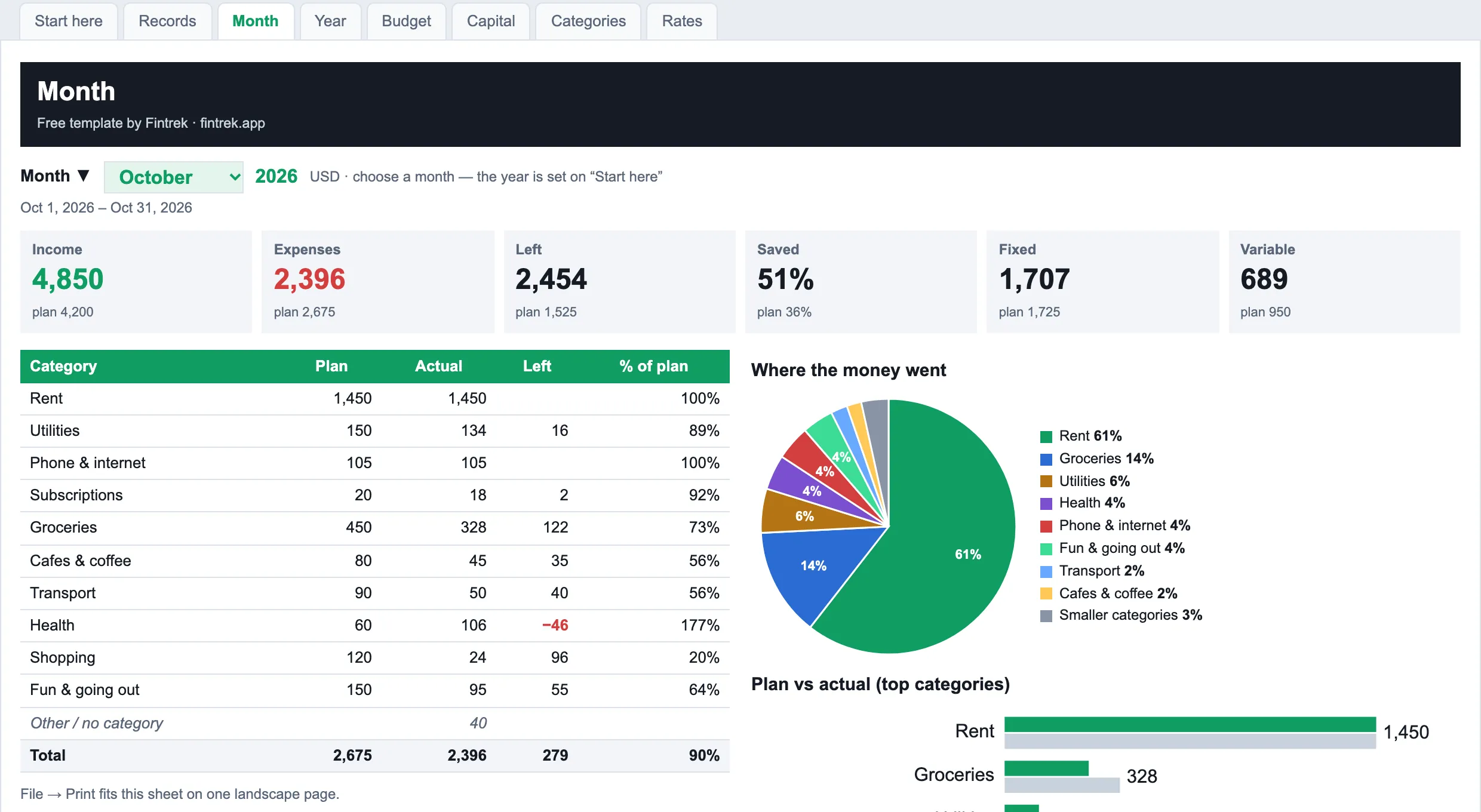
Track monthly expenses with a ready list of categories
A monthly expense tracker starts with a good monthly expenses list. The budget spreadsheet begins with these categories — rename them or add your own, and the bot files each expense under one of them.
Fixed every month
- Rent
- Utilities
- Phone & internet
- Subscriptions
Changes month to month
- Groceries
- Cafes & coffee
- Transport
- Health
- Shopping
- Fun & going out
What you get: a spending tracker for every currency
Voice in Telegram
An expense manager that lives in Telegram: record an expense in seconds, wherever you are. If something is unclear, the bot asks one short question.
Dashboard — see and edit
On your phone and computer, inside Telegram: today’s limit, the month by category, every record. Edits keep the original in the history.
Excel with charts, filled in for you
One budget file for the year with your income and expenses: Month with a pie chart, Year, Budget, Capital in every currency. Export is always free.
Free budget template
One free file, no sign-up or e-mail: the same budget spreadsheet the bot fills, so you can start by hand.
Pricing
Everything included. Press Start in the bot — that’s it.
(≈ $4.08 a month). Cancel any time. The budget spreadsheet and the export of your data are always free. Subscribe
Questions
Do you connect to my bank?
No. Nothing to reconnect and no bank password shared with anyone. You record by voice or text, or import a bank statement file and review it before saving.
Which currencies?
More than 150, including dollars, euros, reais and USDT. You pick a main currency for totals and set your own rate for the others; past records keep their numbers.
How do I track monthly expenses by voice?
Send the bot a voice message or a short line — “groceries 32 dollars”, or several expenses at once. Each one gets a category and a date, and you confirm it. The dashboard shows the month by category and what is left; the Month sheet in Excel shows plan vs actual. No typing into cells — it is an app to log expenses as you spend.
Can I export my expense tracker to Excel?
Yes, any time and free: tap Export in the dashboard, and the bot sends our budget file to your chat, filled with your records — Month and Year with pie charts, Budget, Capital, plus Exchanges and Debts. You also get a full copy you can restore from.
Is Fintrek a free expense tracker app?
The first 30 days are free, no card needed. Then $4.99 a month or $49 a year. The budget spreadsheet and the export of your data always stay free.
What if the bot gets it wrong?
Nothing is saved until you confirm the card. You can edit or cancel any record in the dashboard; the history keeps the original.
Do I need Telegram? Is there WhatsApp?
You need Telegram: the bot and the dashboard work in Telegram — on your phone and computer (Telegram Desktop). There is no WhatsApp version yet.
Who sees my data?
Your records are kept in your own separate storage, encrypted, apart from everyone else’s. To understand a phrase or a voice message, only that phrase is processed — without your name or Telegram account. No ads, no selling data. Details: “Your data”.