 Fintrek
Fintrek / Free budget template
Free multi-currency budget template for Excel and Google Sheets
A monthly household budget that understands dollars, euros, lira, USDT and more — converted at the rates you actually got, with a one-page summary and charts.
Free, no sign-up, no email. Works in Excel, Google Sheets and Numbers.
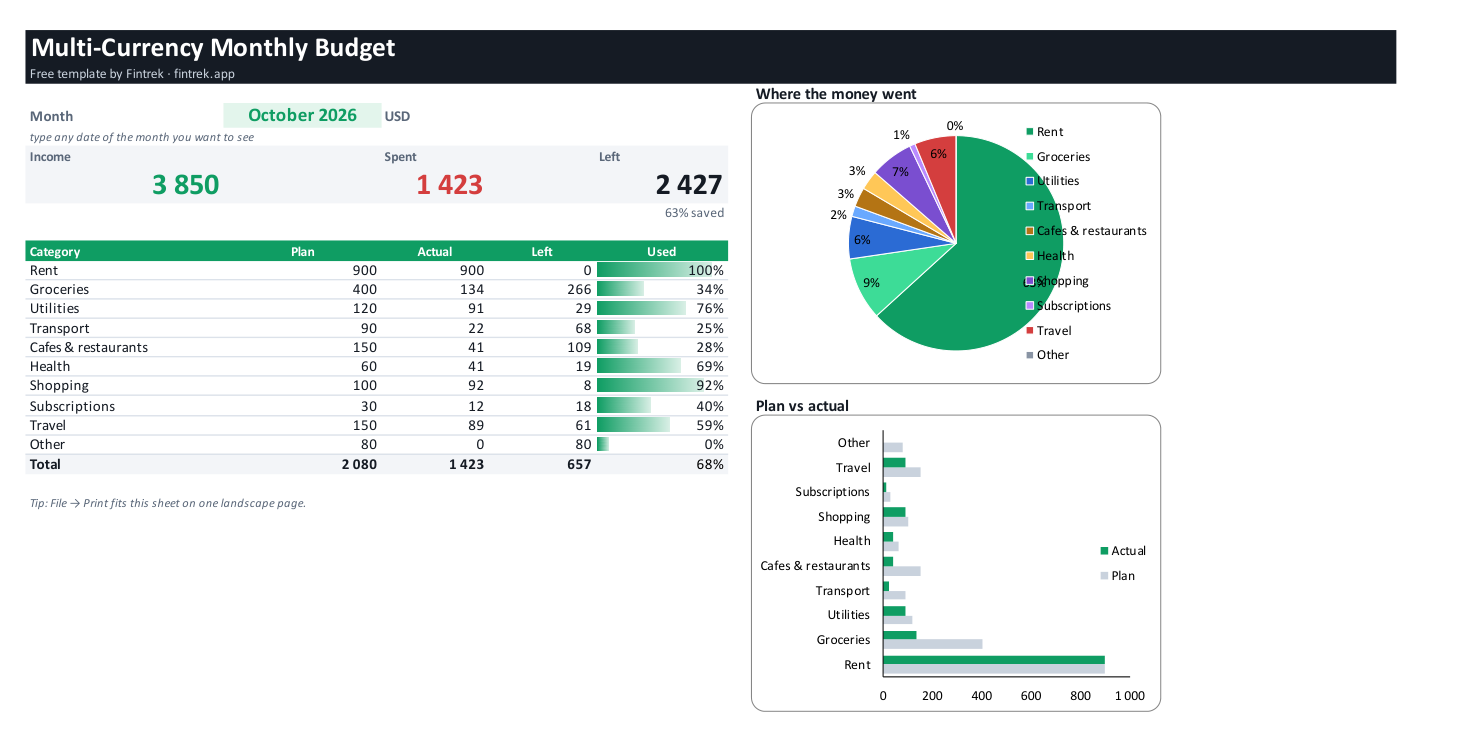
What is inside
- Start here — three steps to begin and how the template differs from the usual ones.
- Transactions — 200 lines with drop-downs for type, category and currency; the amount in your main currency is calculated for you.
- Monthly summary — income, spending, what is left and the share you saved; plan vs actual per category with progress bars; “where the money went” pie chart and “plan vs actual” bars. Prints on one landscape page.
- Rates — your main currency and the rate you really got for each other currency.
- Categories — ten household categories with a monthly plan — rename or add your own.
How to use it
- Open the file and go to “Rates”: choose your main currency and type your own rates.
- Log income and expenses on “Transactions” — any currency on any line.
- Open “Monthly summary” and type any date of the month you want to see.
Using Google Sheets?
Upload the .xlsx to Google Drive and choose “Open with → Google Sheets”. Formulas, drop-downs and charts keep working.
Why a multi-currency budget template?
Most free budget templates assume one currency. If you are paid in dollars, live on lira and keep some USDT, the totals drift away from reality — especially when the exchange rate you got differs from the one online. This template lets you set your own rate, so the summary matches the money you really have.
Tired of typing every coffee?
Say it to the Fintrek bot in Telegram — “coffee 95 lira” — and it is recorded in the right currency at your rate. The monthly report comes to your chat on the 1st. The first month is free.
Questions
Is the template really free?
Yes. Download and use it as you like, no sign-up or email.
Does it work in Google Sheets and Numbers?
Yes. Upload it to Google Drive and open with Google Sheets, or open it in Numbers on Mac.
How do I add a currency?
Add a line on the “Rates” sheet with the currency code and your rate; it appears in the drop-down on “Transactions”.
Can I see another month?
Yes. On “Monthly summary” type any date of that month in the month field.